
Hotel Management Software Demo: What to Check Before Buying
Automate Your Hotel Operations & Boost Direct Bookings
Manage rooms, reservations, guest check-ins, GST billing, and reports effortlessly with our modern cloud-based software.
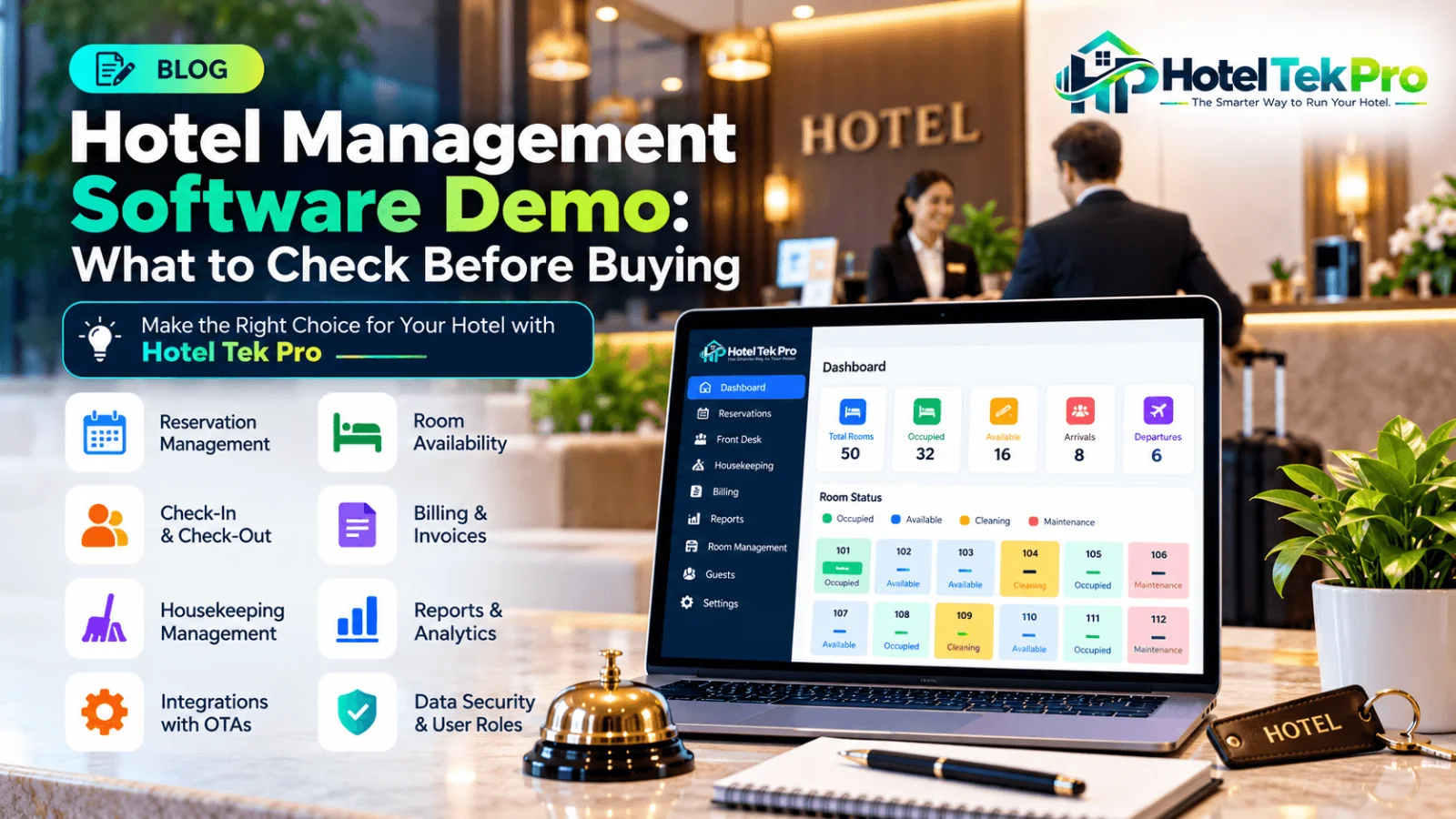
Choosing the right hotel management software is an important decision for every hotel owner. Whether you operate a small budget hotel, a boutique property, or a large hospitality business, the right software can make daily operations easier, improve staff productivity, and provide better control over reservations, billing, housekeeping, and revenue.
However, choosing software simply because it looks attractive during a presentation can lead to problems later. A system may offer many features, but if it does not match your hotel's daily requirements, your staff may struggle to use it effectively.
That is why taking a proper demo before purchasing the Best Hotel Management Software is essential. A demo allows you to understand how the software works, test important features, and identify whether it offers real value for your business.
With Hotel Tek Pro, hotel owners can explore the importance of evaluating hotel management solutions before making an investment. Before selecting Hotel Tek Pro or any other provider, it is important to prepare a checklist and focus on the features that matter most to your property.
In this guide, we will explain what to check during a hotel management software demo, which questions to ask the provider, and how to make a confident purchasing decision.
1. Understand Your Hotel's Requirements First
Before booking a demo, identify the operational challenges your hotel faces every day. Different properties have different requirements, so the right solution for a 20-room hotel may not be the right solution for a 200-room property.
For example, your hotel may be struggling with manual bookings, incorrect room availability, billing errors, or communication between reception and housekeeping. Another hotel may need better financial reports, online booking integration, or centralized management of multiple properties.
Before evaluating the Best Hotel Management Software, make a list of your essential requirements.
Consider these questions:
- How many rooms does your hotel have?
- Do you accept walk-in and online reservations?
- Do you receive bookings through online travel agencies?
- Do you need automated billing and invoicing?
- Do you require housekeeping and maintenance management?
- Do you need daily, weekly, and monthly business reports?
- How many employees will use the software?
Having clear answers will help you compare solutions more effectively.
When evaluating Hotel Tek Pro, prepare examples of your hotel's daily workflow and ask the provider to demonstrate how the system could support those processes. This approach will give you a more realistic understanding than simply reviewing a list of features.
2. Check Reservation Management Features
Reservation management is one of the most important functions of hotel software. Your reception team should be able to create bookings, update guest information, manage cancellations, and check room availability without relying on multiple spreadsheets.
During your demo of the Best Hotel Management Software, ask the provider to demonstrate a complete reservation process.
Check whether the system allows staff to:
- Create new reservations quickly.
- Record guest details and booking dates.
- Select room types and applicable rates.
- Modify existing reservations.
- Record cancellations and no-shows.
- Manage advance payments.
- View room availability for specific dates.
Imagine a guest calls your hotel to reserve a deluxe room for two nights. Your receptionist should be able to check availability, enter the guest's details, confirm the price, and save the reservation through a straightforward process.
Ask Hotel Tek Pro to demonstrate this complete workflow instead of showing only the reservation dashboard.
The fewer unnecessary steps your staff needs to complete routine tasks, the easier it becomes to manage bookings during busy periods.
3. Evaluate Room Availability and Overbooking Prevention
Overbooking can create uncomfortable situations for hotel staff and guests. It may happen when room availability is not updated correctly after reservations, cancellations, or changes made through different booking channels.
During your demo, ask how the software tracks available, occupied, reserved, and out-of-service rooms.
Important points to check include:
- Room availability by date and room type.
- Detection of conflicting reservations.
- Updates after booking cancellations.
- Visibility of room status across departments.
- Synchronization with connected booking channels.
- Notifications or warnings when booking conflicts occur.
For example, if your hotel has ten deluxe rooms and nine are already booked for a particular night, the system should provide an accurate view of the remaining inventory.
If you accept bookings through online travel agencies, confirm whether two-way synchronization is supported and whether a channel manager is included in the package.
When comparing the Best Hotel Management Software, do not assume that every provider offers automatic synchronization with every booking platform.
Ask Hotel Tek Pro which integrations are available and how the system handles synchronization delays or connection failures. Clear answers can help you avoid costly operational problems.
4. Test the Check-In and Check-Out Process
The front desk plays a major role in creating a positive guest experience. Long check-in queues, missing reservation details, and incorrect checkout bills can leave guests frustrated.
During your demo of Hotel Tek Pro, ask the provider to show how reception staff handle an arriving guest from the moment they locate the reservation until the room is assigned.
Check whether the system supports:
- Quick reservation lookup.
- Guest information management.
- Room assignment.
- Check-in and checkout recording.
- Advance payment verification.
- Additional service charges.
- Final bill generation.
- Room status updates after checkout.
For example, a guest arrives at 11 AM, but the reserved room is not yet ready. Your reception team needs to understand the room's current status and communicate the expected availability to the guest.
Similarly, when a guest checks out, the receptionist should be able to review room charges, additional services, payments received, and the outstanding balance.
The Best Hotel Management Software should make these tasks easier while allowing your staff to follow the hotel's own procedures.
Ask your reception team to test the workflow during the demo. Their feedback can reveal usability problems that may not be obvious to management.
5. Review Billing, Invoices, and Tax Settings
Billing accuracy is essential for maintaining customer trust and keeping financial records organized. Incorrect totals, missing charges, or improperly configured taxes can lead to disputes and accounting difficulties.
During the demo, ask the provider to generate an invoice using realistic sample data.
Check whether the system supports:
- Room charges and additional services.
- Advance payments and outstanding balances.
- Discounts and approved adjustments.
- Multiple payment methods.
- Refunds and cancellation charges.
- Printable or downloadable invoices.
- Appropriate tax configuration.
For hotels operating in India, verify whether the system supports your applicable GST requirements and the invoice information required by your accounting process.
Do not assume that every tax calculation is automatically correct. Ask who configures the tax rules, how updates are handled, and whether your team can verify the calculations before issuing invoices.
When evaluating Hotel Tek Pro, request a demonstration that includes an advance payment, an additional charge, and a final checkout invoice.
The Best Hotel Management Software should make transactions easier to review and help reduce manual calculation errors.
6. Check Housekeeping and Room Status Management
Housekeeping is another important area to evaluate during a software demo. A room may be vacant but still require cleaning, inspection, or maintenance before the next guest can check in.
Without clear communication between reception and housekeeping, employees may waste time making phone calls or updating separate records.
Ask Hotel Tek Pro to demonstrate how housekeeping tasks and room statuses are managed.
Look for features such as:
- A list of rooms requiring cleaning.
- Room status updates.
- Inspection status, where supported.
- Housekeeping task assignments.
- Maintenance issue reporting.
- Visibility of room readiness for reception.
Consider a hotel where a guest checks out at 10 AM and another guest is expected at noon. Housekeeping needs to prepare the room, while reception needs to know when it is ready.
A well-organized system should help both teams access the relevant information without unnecessary delays.
Before purchasing the Best Hotel Management Software, confirm which housekeeping functions are included in the package and whether mobile access or additional modules are available.
7. Examine Reports and Business Analytics
Hotel owners need reliable information to understand business performance and plan future improvements. Useful reports can show occupancy trends, room revenue, booking sources, cancellations, and outstanding payments.
During your demo of Hotel Tek Pro, ask to see actual sample reports rather than relying only on dashboard screenshots.
Important reports may include:
- Daily and monthly occupancy.
- Room revenue.
- Average daily room rate.
- Booking sources.
- Cancellations and no-shows.
- Outstanding payments.
- Revenue trends.
- Departmental performance, where available.
For example, if your occupancy is consistently lower on weekdays, you could consider special weekday packages or targeted marketing campaigns.
Likewise, booking-source reports may help you understand whether direct bookings or online travel agencies contribute more reservations.
The Best Hotel Management Software should make useful information accessible without requiring employees to combine multiple spreadsheets manually.
Ask Hotel Tek Pro whether reports can be filtered by date, exported to common file formats, and restricted according to user permissions.
8. Verify Online Booking and Third-Party Integrations
Many hotels use several systems to manage their business, including booking engines, online travel agencies, payment gateways, and accounting software.
Before choosing Hotel Tek Pro, identify which integrations your property actually needs.
Ask the provider:
- Can the software connect with your existing booking channels?
- Is two-way availability synchronization supported?
- Are room rates updated automatically?
- Can website bookings be recorded?
- Which payment gateways are compatible?
- Can financial data be exported to accounting software?
- Are additional integration charges applicable?
During the demonstration, request a practical explanation of how information moves between connected systems.
For example, if a guest books a room through an online travel agency, you need to understand how that reservation appears in your hotel's system and how the available inventory changes afterward.
Do not assume that every integration is included in the subscription. Some providers may require an additional module, third-party service, or setup fee.
The Best Hotel Management Software should fit your existing technology and clearly explain any limitations before you sign a contract.
9. Evaluate Data Security and User Permissions
Hotel software may contain guest information, reservation records, financial transactions, and employee accounts. Protecting this information should be an important part of your evaluation.
During your demo of Hotel Tek Pro, ask how the system manages users and access permissions.
For example, a receptionist may need access to reservations and check-in functions, while an accountant may need access to invoices and financial reports. A hotel manager may require broader operational access.
Check whether the software provides:
- Individual staff accounts.
- Role-based access permissions.
- Password and account security controls.
- Activity logs or audit trails, where available.
- Regular data backups.
- Data export options.
- A documented recovery process.
Also ask where the data is hosted, how backups are protected, and what happens to your information if you stop using the service.
When comparing the Best Hotel Management Software, look beyond the user interface and request clear information about data ownership, retention, security practices, and account access after cancellation.
10. Assess Ease of Use and Staff Training
Even a feature-rich system can create problems if employees find it difficult to use. Complicated workflows can slow down reception, increase training time, and encourage staff to continue using manual records.
Instead of watching the provider complete every task, ask your employees to try the software themselves.
During the Hotel Tek Pro demo, have them practise creating a reservation, changing a booking, checking in a guest, generating an invoice, and reviewing a report.
Observe whether they can complete the tasks comfortably without repeated assistance.
Also confirm:
- Whether initial setup is included.
- How staff training is delivered.
- Whether video tutorials or user guides are available.
- What technical support channels are offered.
- When support is available.
- Whether training or implementation costs extra.
- How software updates are handled.
The Best Hotel Management Software should match the working style and technical skills of your team.
A smaller property may prefer simple navigation and straightforward workflows, while a larger hotel may need advanced permissions, detailed reports, and more complex integrations.
Before selecting Hotel Tek Pro, clarify the onboarding process and ask whether employees can practise in a test environment before the system goes live.
11. Understand the Total Cost Before Purchasing
Software pricing should be evaluated carefully because the advertised subscription fee may not include every feature or service your hotel needs.
Before finalizing Hotel Tek Pro, request a written quotation that explains the complete cost.
Check for:
- Monthly or annual subscription charges.
- One-time installation and setup fees.
- Per-room or per-property pricing.
- Additional user charges.
- Optional modules and integrations.
- Data migration costs.
- Staff training fees.
- Technical support charges.
- Renewal and cancellation terms.
For example, one package may include reservations and basic billing, while another may charge extra for channel management or advanced analytics.
Compare the full cost with the operational benefits you expect, such as reduced manual work, fewer booking conflicts, and improved reporting.
The Best Hotel Management Software is not necessarily the cheapest option. It is the solution that meets your essential requirements at a reasonable long-term cost.
Ask Hotel Tek Pro to clarify which features are included in the quoted package and whether any additional charges may apply later.
12. Request a Trial and Test Real-Life Scenarios
A live demonstration provides a useful overview, but a trial can help you understand how the software performs during normal hotel operations.
If a trial is available for Hotel Tek Pro, use it to test common workflows with sample data.
Try these scenarios:
- Create a new reservation.
- Change the guest's arrival date.
- Record an advance payment.
- Assign a room.
- Update the housekeeping status.
- Generate a checkout invoice.
- Review daily occupancy.
- Cancel a booking and check the resulting records.
- Create a staff account with limited permissions.
- Export a report or reservation record.
Record any difficulties and ask the provider how they can be resolved.
When comparing the Best Hotel Management Software, use the same test scenarios for each shortlisted solution. This makes the comparison more objective and reduces the risk of choosing software based only on a polished presentation.
Before starting a trial with Hotel Tek Pro, confirm its duration, available modules, data limitations, and any restrictions that might affect your evaluation.
13. Identify Warning Signs During the Demo
A software demonstration should help you understand both the strengths and the limitations of a product. Be cautious if the provider avoids important questions or cannot explain how essential features work.
Potential warning signs include:
- Important functions cannot be demonstrated.
- Additional charges are not clearly explained.
- Integration capabilities remain uncertain.
- Data backup and recovery procedures are unclear.
- Staff onboarding is not properly defined.
- Data export options are limited or undocumented.
- Technical support arrangements are vague.
- Contract and cancellation terms are difficult to understand.
These issues do not automatically mean that a product is unsuitable, but they should be investigated before making a commitment.
Whether you are evaluating Hotel Tek Pro or another provider, request written clarification about important features, pricing, service commitments, and implementation responsibilities.
The Best Hotel Management Software should come with a transparent purchasing process and realistic expectations about what the system can deliver.
14. Use a Checklist to Compare Software Providers
After completing your demos, compare each provider using the same evaluation criteria. A simple scoring system can help you identify strengths and weaknesses more objectively.
| Evaluation criteriaWhat to check Score | ||
| Reservations | Booking creation and modifications | /5 |
| Room availability | Inventory accuracy and conflict handling | /5 |
| Check-in/check-out | Ease of use and speed | /5 |
| Billing | Invoice accuracy and tax settings | /5 |
| Housekeeping | Room status and task visibility | /5 |
| Reporting | Useful and exportable reports | /5 |
| Integrations | Required connections and synchronization | /5 |
| Security | Permissions, backups, and data controls | /5 |
| Training | Onboarding and technical support | /5 |
| Pricing | Transparent total cost | /5 |
| Total | Maximum score | /50 |
Give each category a score from 1 to 5 based on what you actually observed during the demo.
A high total score is helpful, but essential requirements should be treated separately. For example, unresolved billing problems should not be ignored simply because the software performs well in other areas.
Use this checklist to compare Hotel Tek Pro with other shortlisted providers and ask for clarification wherever the demonstration was incomplete.
The Best Hotel Management Software for your hotel should meet your critical requirements, fit your budget, and support your daily operations without unnecessary complexity.
15. Make Your Final Decision with Confidence
Choosing hotel software should be a practical business decision, not simply a reaction to a sales presentation or an attractive price.
Before purchasing Hotel Tek Pro, review your notes and confirm that the system matches your hotel's size, daily workflows, staff capabilities, and operational priorities.
Ask yourself the following questions:
- Does the software solve our most important problems?
- Can employees complete routine tasks comfortably?
- Are essential features included in the quoted price?
- Are our required integrations available?
- Can we access the reports we need?
- Are training and technical support clearly explained?
- Do we understand the contract and data ownership terms?
If the answers are clear and your essential workflows have been tested successfully, you can make a more informed purchasing decision.
The Best Hotel Management Software should help your hotel organize daily operations, improve visibility across departments, reduce avoidable manual work, and support better decisions.
Take the time to evaluate Hotel Tek Pro, compare alternatives fairly, and confirm every important requirement before making your final choice.
Conclusion
A hotel management software demo is an opportunity to determine whether a system can handle the real demands of your business. Do not focus only on dashboards and feature lists. Test reservations, room availability, check-in and checkout, billing, housekeeping, reporting, integrations, security, and staff training.
Before purchasing Hotel Tek Pro, prepare a checklist, involve your employees, and ask clear questions about pricing, support, and implementation.
Choosing the Best Hotel Management Software can help make daily hotel operations more organized and give management better access to important business information.
Visit www.hoteltekpro.com to learn more about Hotel Tek Pro and explore the information available for your hotel's software requirements.
Ready to evaluate your hotel's software needs? Start with your essential requirements, arrange a demonstration, and compare your options before investing.
Frequently Asked Questions (FAQs)
1. What should I check during a hotel management software demo?
Test reservations, room availability, guest check-in and checkout, billing, housekeeping, reports, integrations, staff permissions, and technical support. Ask the provider to demonstrate actual workflows rather than relying only on a presentation.
2. How long should a hotel software demo take?
A brief introduction may take 20–30 minutes, while a detailed evaluation covering several departments may require 60–90 minutes or longer. The duration depends on your hotel's requirements and the number of features you need to test.
3. Is a free hotel management software trial necessary?
A trial is helpful when available, but it is not essential if the provider can demonstrate all your required workflows in a suitable test environment. Always confirm what the trial includes and whether any limitations apply.
4. What questions should I ask before purchasing Hotel Tek Pro?
Ask about reservations, billing, room management, reporting, integrations, setup costs, training, technical support, backups, data ownership, and cancellation terms. Confirm which features are included in your selected package.
5. Can hotel management software reduce manual work?
Yes. Depending on its features and configuration, hotel software can reduce repetitive data entry, improve reservation visibility, simplify billing, and help different departments coordinate more effectively.
6. How do I choose hotel software for a small property?
Prioritize reservation management, room availability, accurate billing, ease of use, useful reports, dependable support, and affordability. Choose additional features only when they provide genuine value to your property.
7. Why should I compare multiple hotel software providers?
Comparing providers helps you understand differences in functionality, usability, integrations, support, and total cost. Using the same checklist for every demonstration makes the purchasing decision more consistent and evidence-based.